














From one appointment to the next.
After a visit, a new report or a changed medicine, Lifelong keeps the history and Alo explains it. Your family sees what you choose, and the details are ready for the next appointment.





Something happens. A visit, a report, a new prescription. Photograph it or add the file, and Lifelong reads it.
- Something happens. A visit, a report, a new prescription. Photograph it or add the file, and Lifelong reads it.
- Lifelong keeps the history. The medicine change is filed with the document it came from.
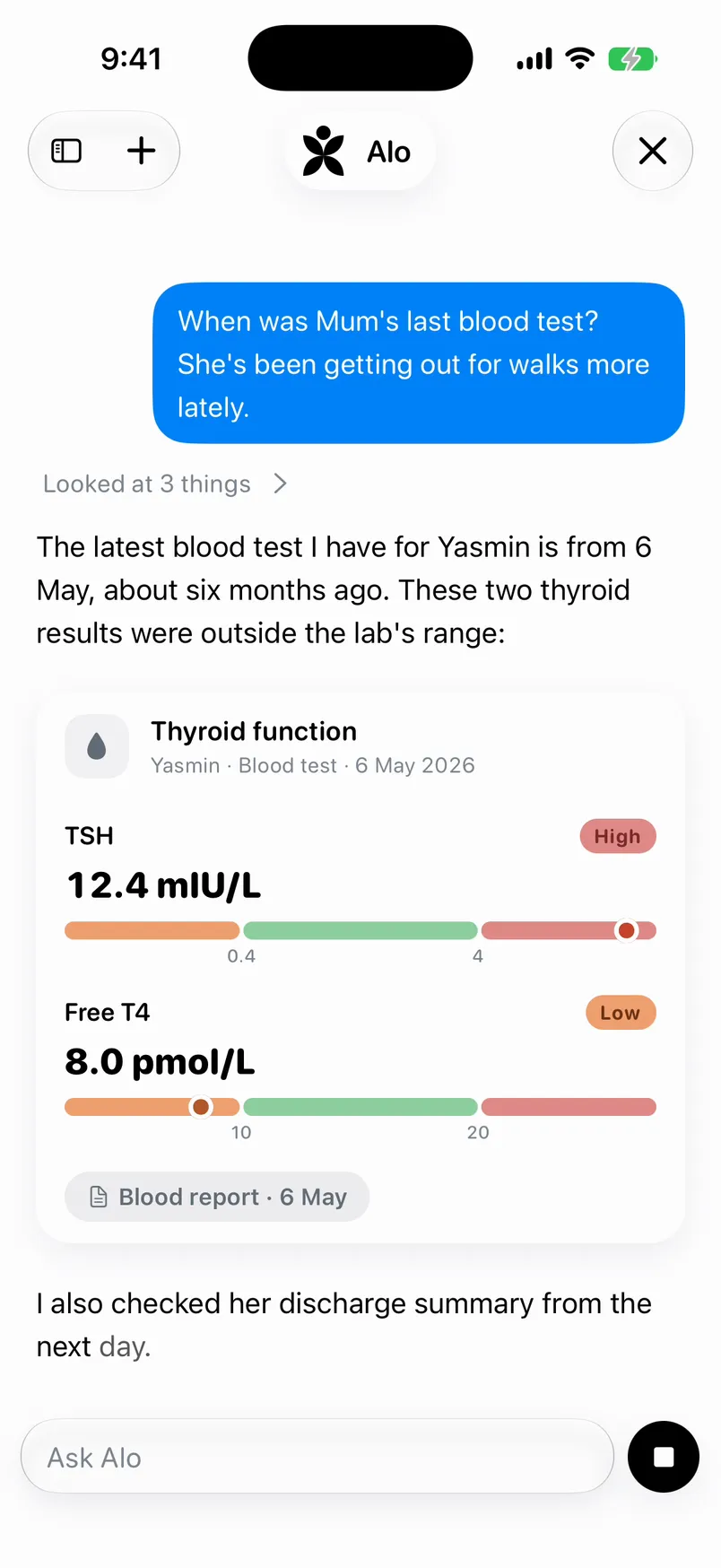
- Alo explains it. Ask in your own words. Alo names the document and the date.
- The family sees what you share. Nothing is shared until you choose to share it.
- Ready for the next appointment. The Health Passport, on one page. Print it, or share it as a PDF.
Start with what just happened.
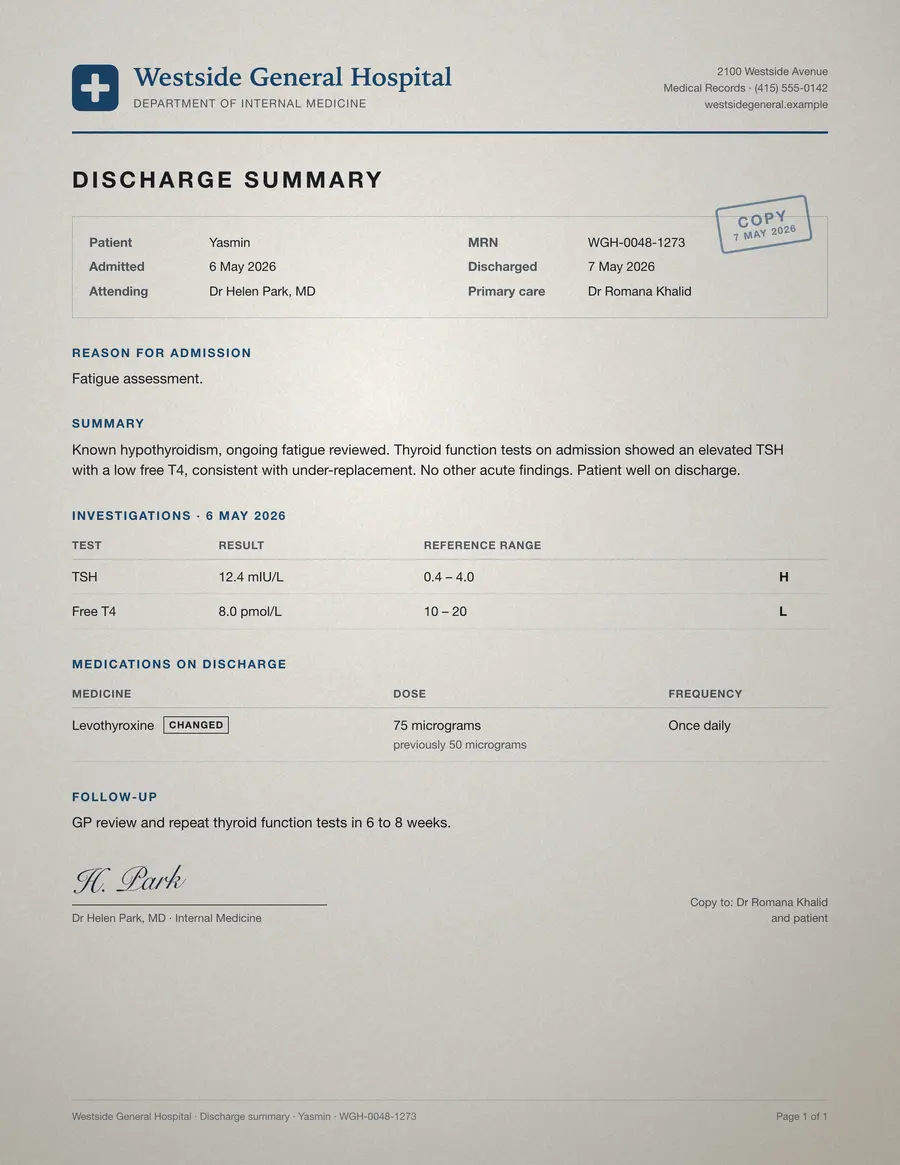
A discharge summary, a lab report, a new prescription. Photograph it or add the file, and Lifelong reads it page by page: who it’s about, the medicines, results against the lab’s own range, and the next steps.
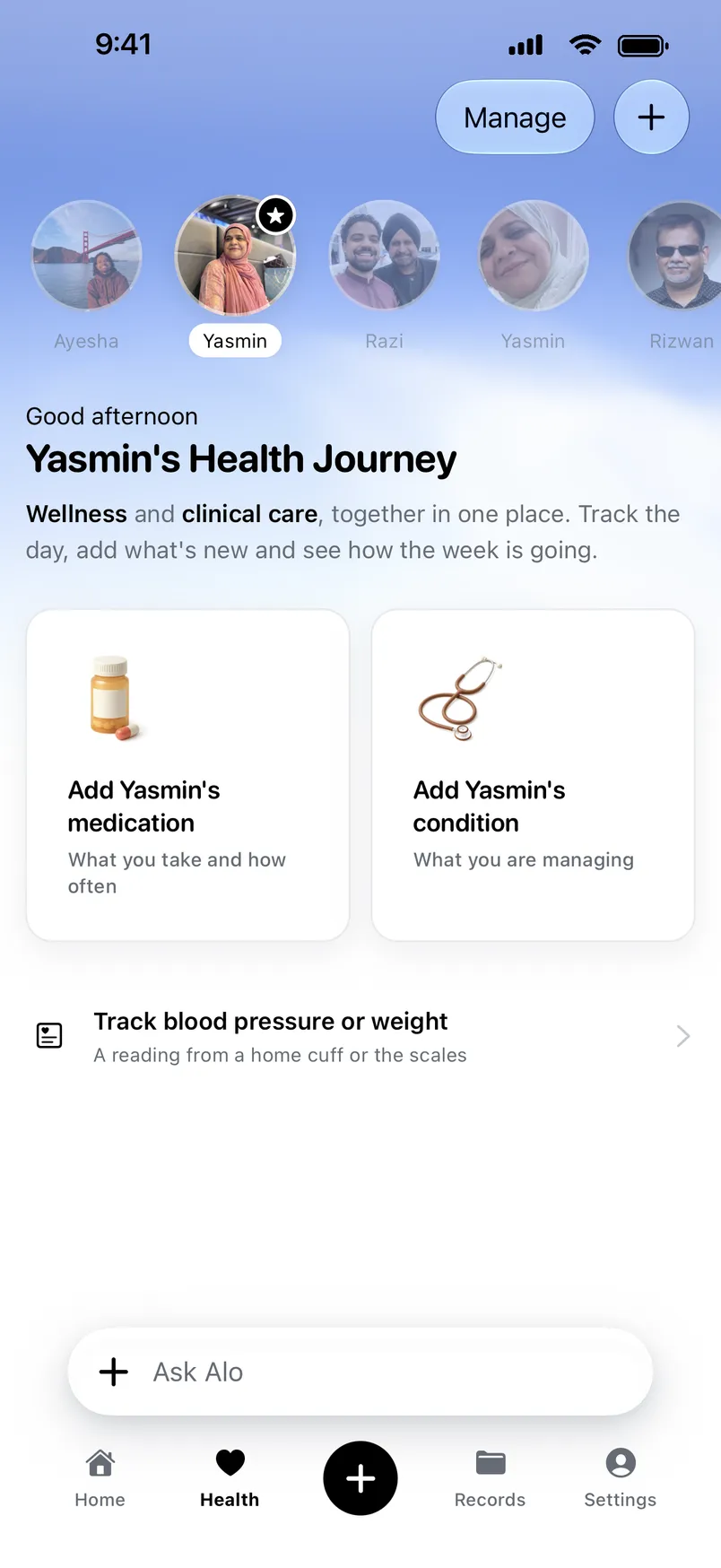
Anything that would change Mom’s lists waits for you to confirm it.
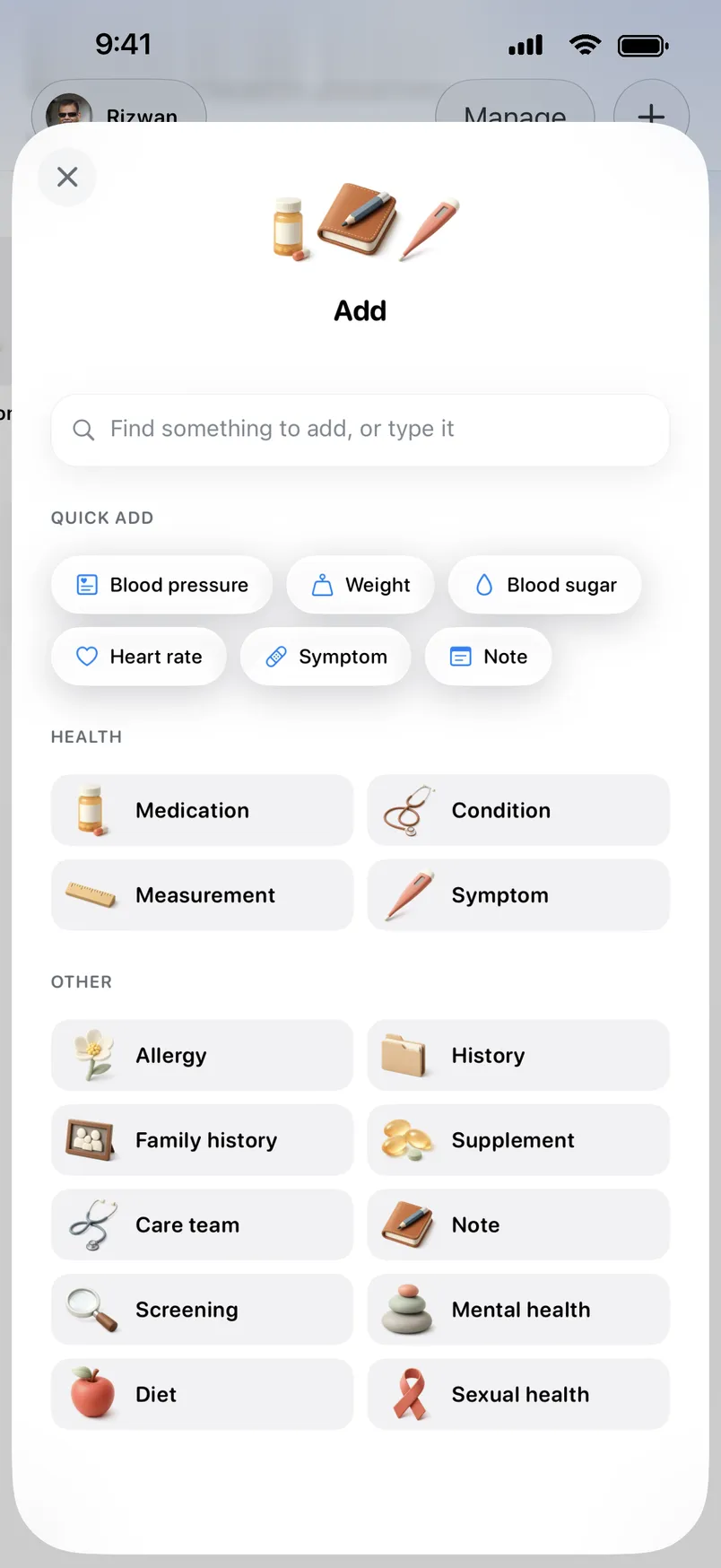
- A photo or a file
- A medicine box, scanned
- The appointment, recorded
- A note in your words
Recording a visit? Ask the doctor first.

- Primary care review
- Repeat thyroid function tests in 6 to 8 weeks
Lifelong keeps the history.
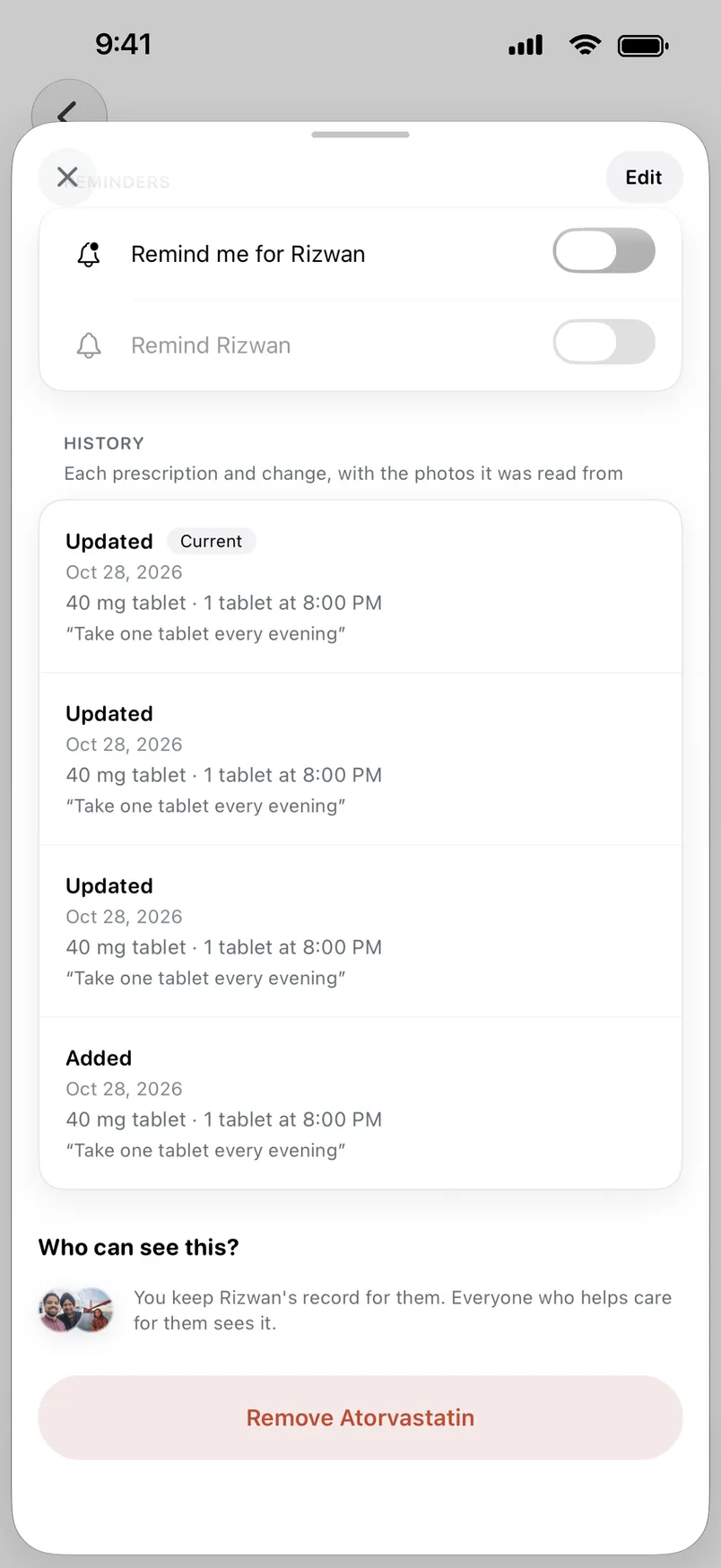
Lifelong keeps each medicine’s prescriptions and changes, each dose as it’s taken, and each condition in plain words, for everyone you look after.
Each change, with its source
A new dose is filed with the document it came from, and the old one stays in the history.
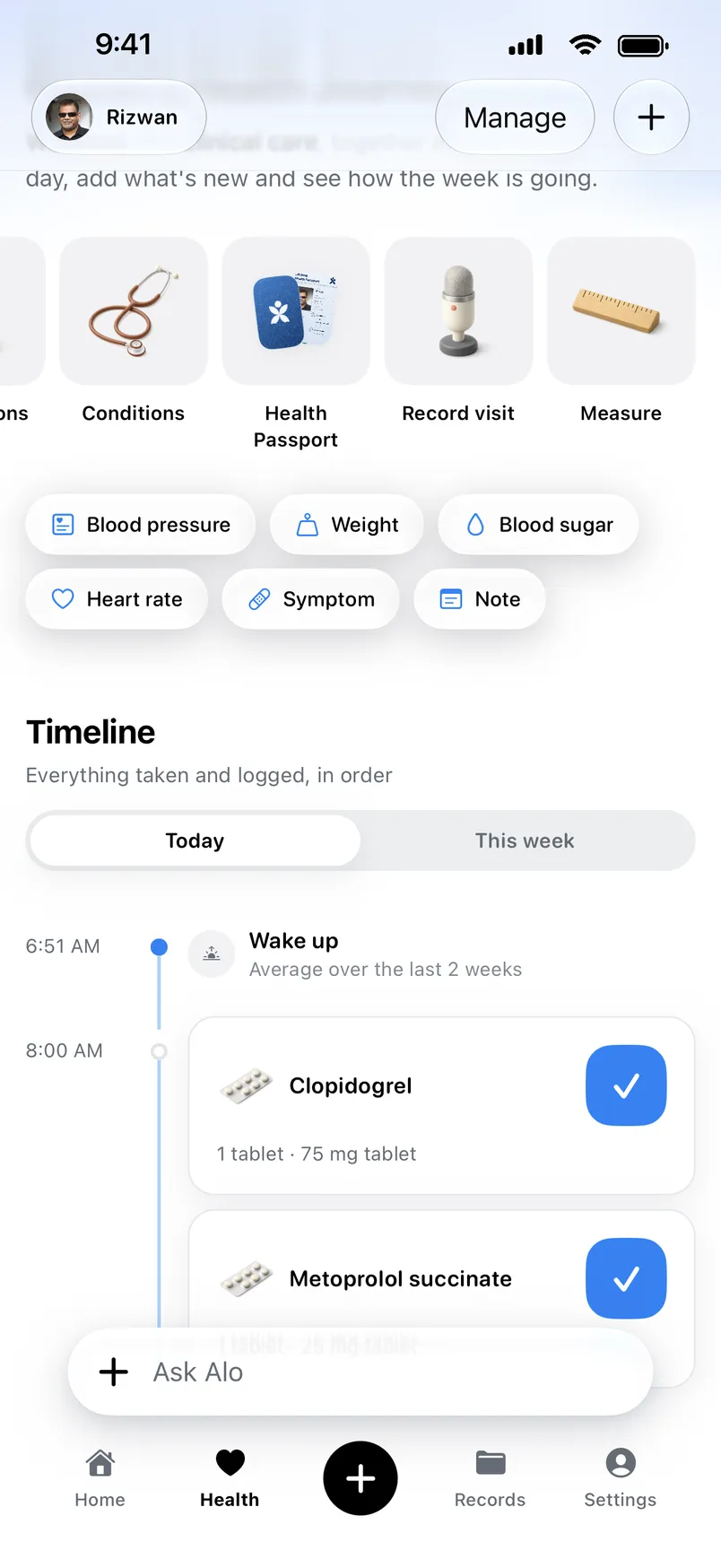
Doses on the Lock Screen
When a dose is due, a Live Activity puts it on your Lock Screen. Tick it off without opening the app.
Margaret has had it since 2020. A doctor is treating it. Margaret takes Metoprolol succinate for it.
Blood pressure is the force of your blood pushing against the walls of your arteries. Each time your heart beats, it pumps blood into the arteries.
From MedlinePlusConditions in plain words
Explained by MedlinePlus, from the US National Library of Medicine, with the medicines taken for each.
Alo helps you make sense of it.
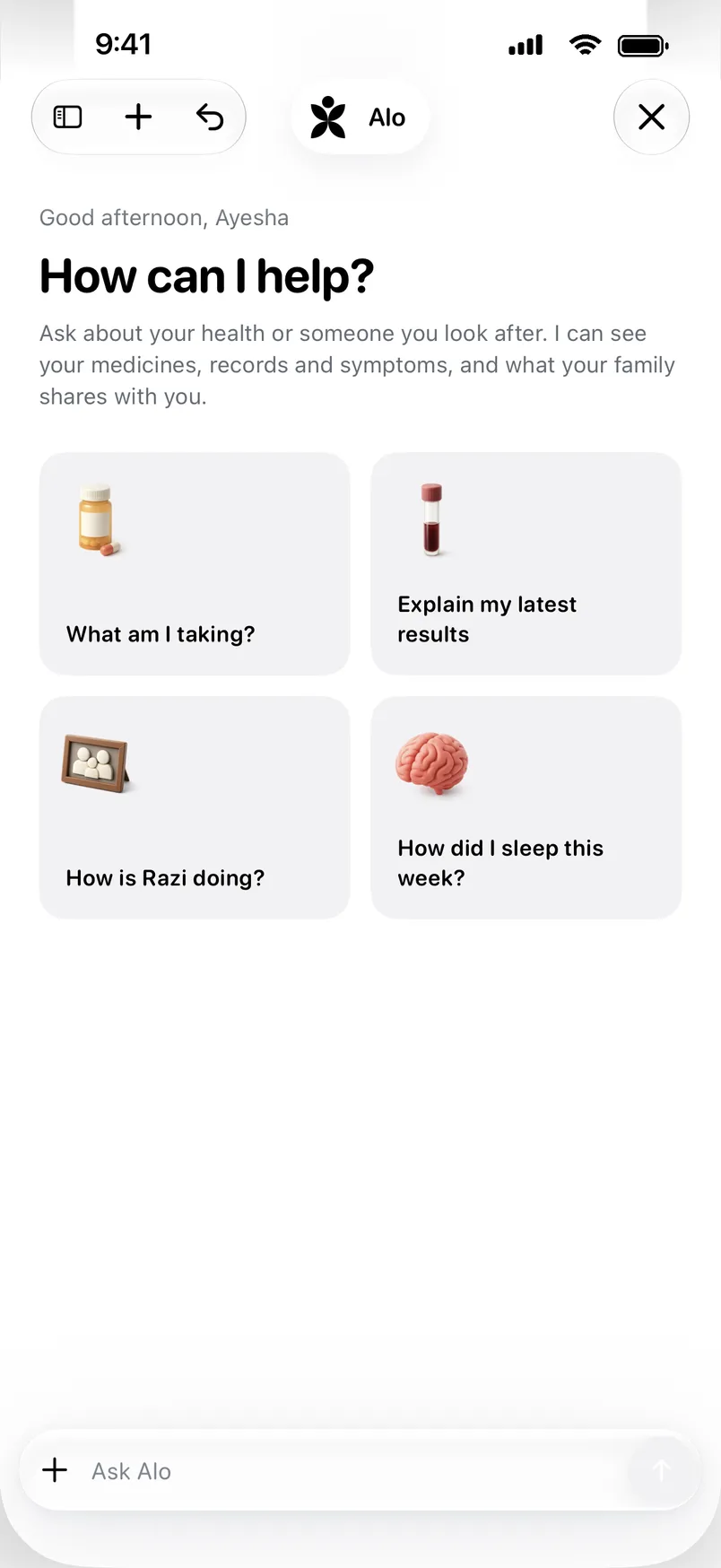
Ask in your own words. Alo answers from your family’s own records and says which record each answer came from, and its date, so you can check it.
It doesn’t diagnose or change a medicine. It gets you ready for the conversation with the doctor who does.
Meet Alo


You ask Alo: What changed in Mom’s medicines after the hospital?
Alo: Read her discharge summary and medicine list.
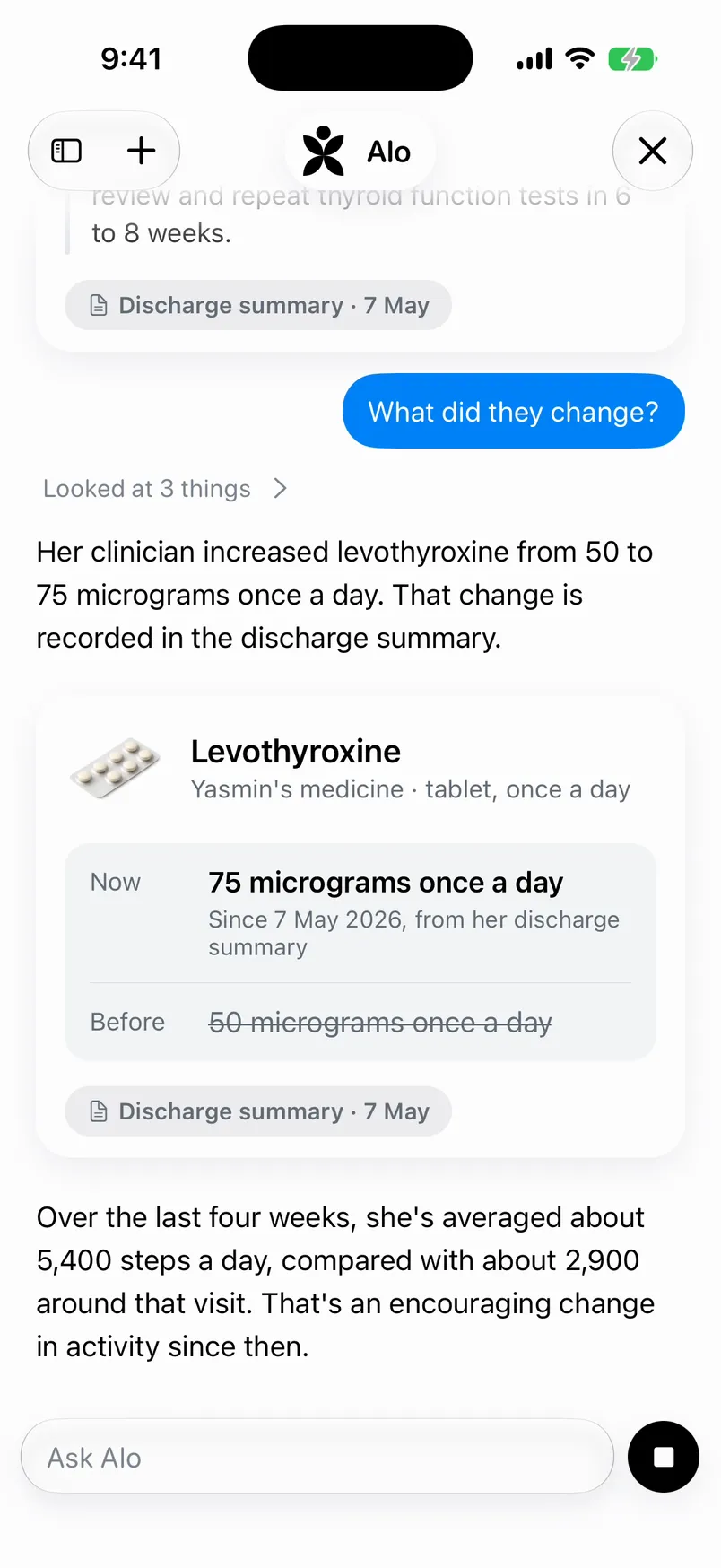
Her clinician increased levothyroxine from 50 to 75 micrograms once a day. That change is recorded in her discharge summary from May 7, and her medicine list matches.
Levothyroxine, Yasmin’s medicine, tablet once a day. Now 75 micrograms once a day, since May 7, 2026, from her discharge summary. Before, 50 micrograms once a day. Source: discharge summary, May 7.
Bring the family in, by choice.
Nothing is shared until you choose to share it. Then you decide what each person sees, and change it whenever you like.
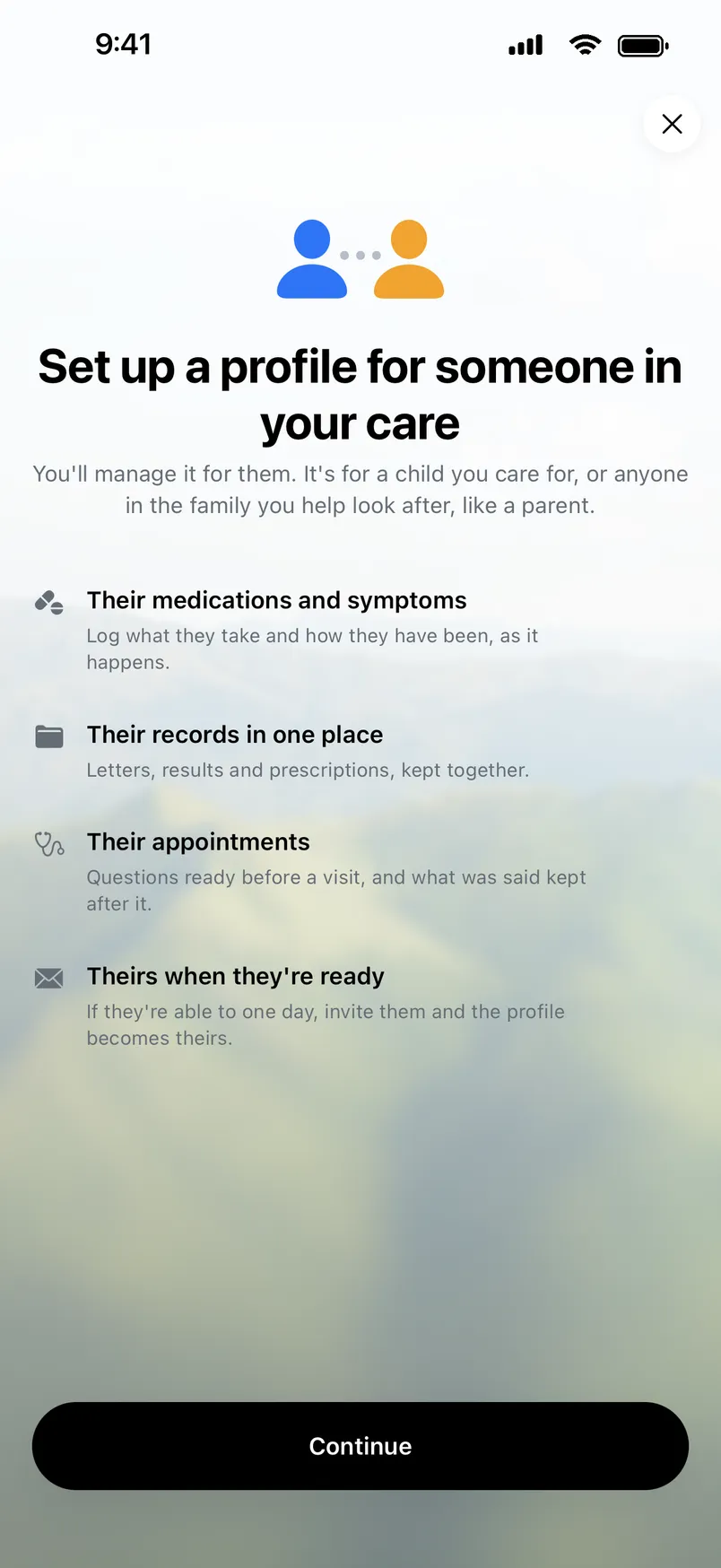
Looking after a parent who doesn’t use the app? Set up a profile for them and keep their medicines, conditions, records and visits. Everyone who helps care for them sees it, and when they’re ready, you can hand the profile over.
How family sharing works
Everyone who helps care for Mom can see it. Change it whenever you like.
Ready for the next appointment.
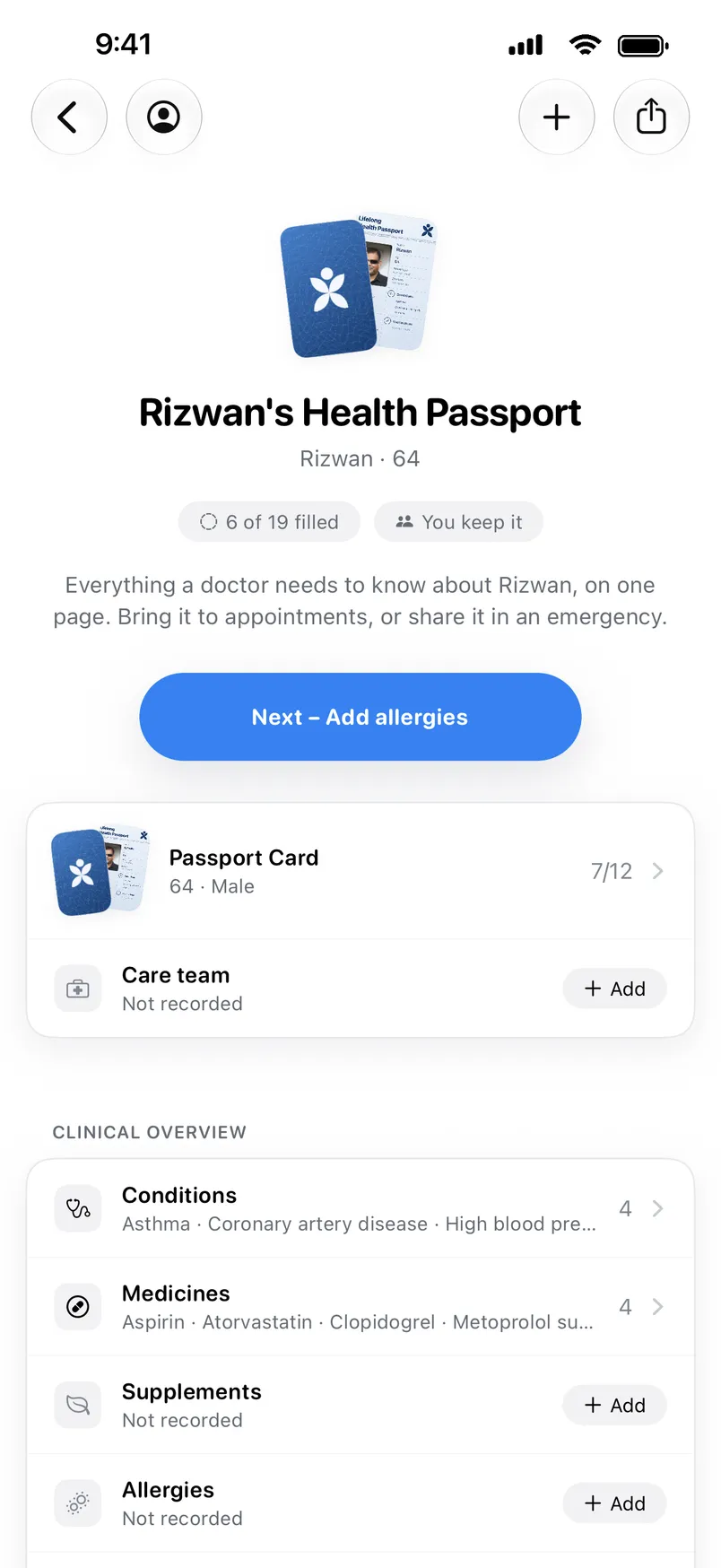
A Health Passport puts what a doctor asks for on one page: conditions, medicines, allergies, care team and recent results. Print it, or share it as a PDF.
Before the visit, ask Alo to help you prepare: what has changed since last time, and what is worth raising.



“I stopped being the only person who knew what Mom was taking.”
And the days in between.
Sleep, activity and heart rate come in through Apple Health, from the watch or ring they already wear, set against what’s usual for each person.
Daily signals through Apple Health
- Apple Health
- Apple Watch
- Oura
- Garmin
- Whoop
- Fitbit
- Amazfit
- Polar
Private by default. Shared by choice.
How we protect your dataSet person by person
Each person in the family sees only what you have chosen for them.
Never sold
We never sell health data, and we don't share it for advertising.
Encrypted
In transit and at rest. Model providers are contractually barred from training on what we send.
Questions
The short ones are here. For anything else, ask underneath, or read the full FAQ.
Can I keep records for someone who doesn't use the app?
Yes, for a parent, a child or someone you care for. You manage a profile for them from your own account, and in doing so you confirm you are legally authorized to hold and make decisions about that person’s health information. That representation matters: if you do not have that authority, you should not be filing their records. The rules, and the channel for someone to have a profile about them removed, are in the Family Sharing Terms.
What can my family actually see?
Only what you have chosen to share with them. When you join a family, the app asks you to choose, per category, what your family can see:
- Daily signals: sleep, activity, heart
- Health records and documents
- Medications, conditions, symptoms and appointments
- Journal entries and notes
Nothing of yours is visible to anyone until you have made that choice and confirmed it. We recommend sharing everything, because a family that can see the whole picture is the point of the product. It is a recommendation, not a default that happens to you. You can narrow, widen or revoke at any time, per category and per person, and revocation takes effect immediately.
Does whoever created the family get to see everything?
No. The family owner can manage the family’s name and settings, invite and remove members, and end the family. The owner cannot see another member’s health information unless that member has shared it with them. Owning the family is an administrative role, not a privileged view. The same is true of whoever is paying, and of whoever uploaded a document: the person the data is about controls it.
Do I need permission to record my appointment?
Usually, yes, and getting it is your responsibility, not ours. In many places the law requires the permission of everyone being recorded. So ask first: “Do you mind if I record this so I can remember it properly?” Most clinicians say yes. If anyone says no, don’t record. Read our Recording Consent Notice before recording.
Is Lifelong medical care?
No. Lifelong is a health information app, not a medical device and not a substitute for a clinician. It does not diagnose, treat or prescribe, and nothing in it is a medical opinion.
It is also not a monitoring service. Nobody at Lifelong is watching your family’s data, and the app will not summon help. An alert is a prompt to look at something. It is not a clinical finding, and its absence is not reassurance. In an emergency, call emergency services. The full detail is in the Medical Disclaimer.
Answered by AI from the pages of this site, and it can be wrong. It isn’t medical advice, so please leave personal health details out.
Start with the paperwork from the last visit.
Lifelong is on the App Store for iPhone. One membership covers the family.